Real Cafe & Restaurant Installations
Actual SmartScheduler screens in cafes and restaurants.
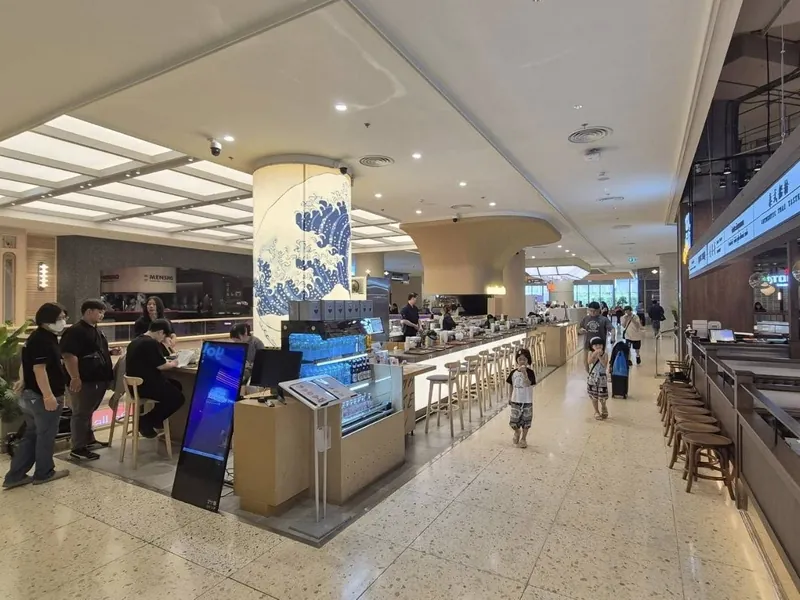
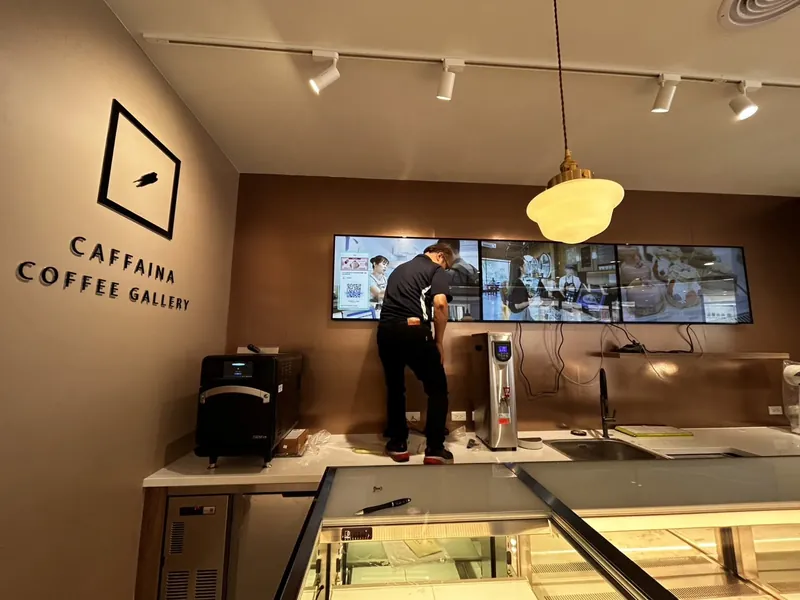
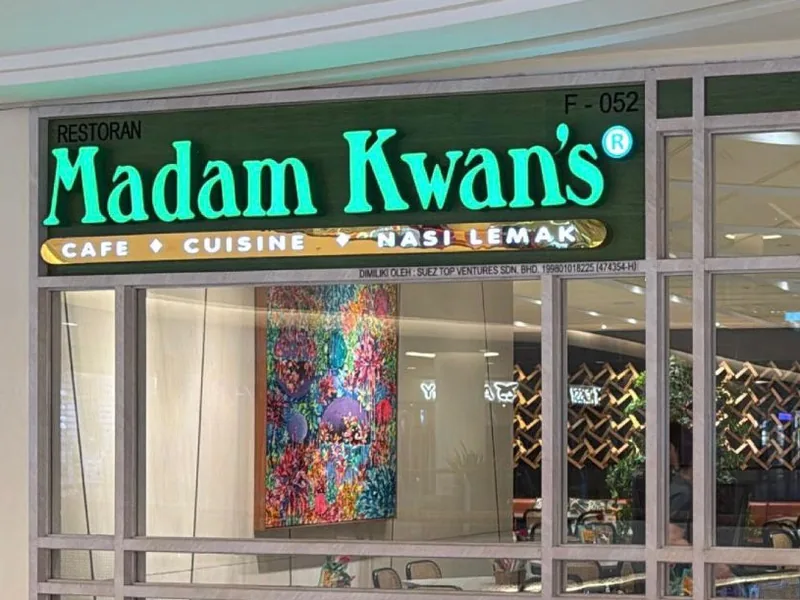
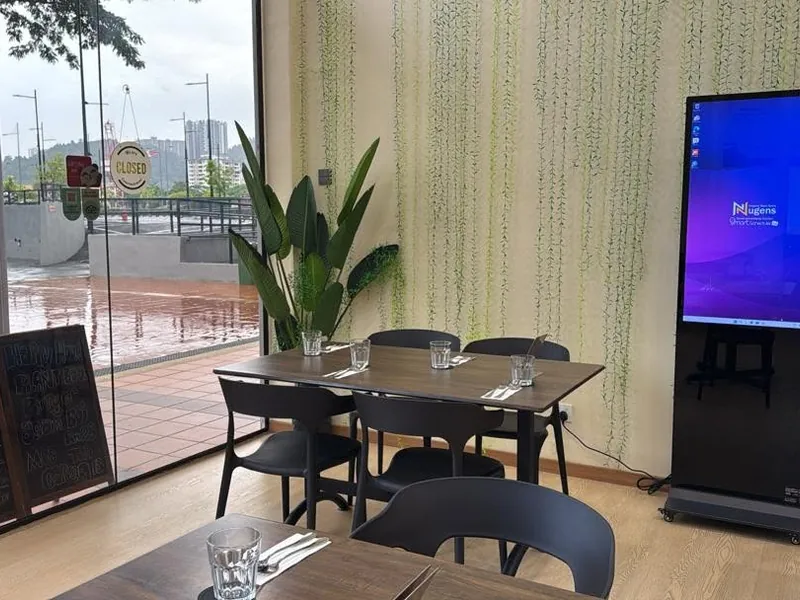
Schedule breakfast, lunch, and dinner menus to switch automatically. Push daily specials in under a minute. No reprinting, no monthly fee, works on your existing TV.
Bayaran sekali. Tiada bayaran bulanan. Bermula RM1,499.
Actual SmartScheduler screens in cafes and restaurants.
A printed menu board costs money every time prices change. A digital one costs nothing after setup.
Breakfast at 7am, lunch at 12pm, dinner at 6pm. The screen switches automatically. No staff action, no forgetting to change the board during a busy rush hour.
Upload a photo of today's special, set it to run from 11am to 3pm, publish. It appears on the screen and disappears when the time ends. No one has to remember to remove it.
Change a price, add a new item, or run a promotion, from anywhere. Multi-branch remote control means the owner can push updates to every outlet's digital signage screen at once. Any Windows laptop with internet will do.
Plug the Windows media player into any HDMI TV and you are running. No new display purchase needed for most setups. Content plays offline if the WiFi drops.
Replace your printed menu boards with a dynamic digital signage display. Update prices, add seasonal drinks, or promote combos, all from your laptop. A complete digital signage system, one-time payment, no designer needed.
No monthly fee. Works offline. Your menu plays even if WiFi goes down. Content is cached on the Windows player so the digital signage screen never goes blank.
How a typical Klang Valley cafe runs SmartScheduler across a 7am–10pm operating day. Set once, runs daily.
Set once on day one. Runs every day after. When you change a price (e.g. Sunday +RM1 weekend rate, or Hari Raya holiday menu), you do it once from your laptop, and every slot in the schedule that mentions that item updates instantly. No staff retraining, no closing the cafe to reprint anything.
Patterns we see from cafes that have been running SmartScheduler for 90+ days. Avoid these and your screen pays back inside the first quarter.
A printed menu board has to fit everything in one frame because it can't change. A digital board doesn't. Show the breakfast set at 8am, the lunch set at noon, the afternoon-tea set at 3pm. Cycling through 12 items on a single screen makes nothing memorable. Pick 3–5 items per slot and let the rest live on the table menu.
If your cafe closes at 10pm but the screen runs until 11pm, customers walking past at 10:30pm see your full menu and assume you're open. Add a closing slide with tomorrow's opening time and your Instagram. Costs nothing, kills the 10pm "are you still open" calls.
A 4-second slide is a 4-second slide for someone reading on their phone. For a customer glancing at your menu while ordering, it's gone before they finish "Wagyu Don RM2..." Default to 8–10 second per slide for menu items. Promo slides can move faster (5–6s).
A TV is viewed from 2 to 4 metres away, so text smaller than your thumb at arm's length will be unreadable from the queue. Headlines should be at least 80px (or 8% of screen height). Body text 40–60px. Pricing always bigger than item names. Run your design on the actual TV before trusting how it looks on your laptop preview.
Public holidays change your operating hours and your customers' expectations. Schedule your festival menu to start 3–7 days before the festival, switch to a "Selamat Hari Raya, closed today" slide on the day, and resume normal menu after. Set it once in advance from your laptop. You'll thank yourself when the day arrives and you're with family, not at the cafe changing slides.
The whole point of digital is that you change content. Cafes that update their screen weekly (one new item, one promo refresh) see better repeat-customer engagement than cafes that load it once and never touch it. Block 15 minutes every Monday morning. That's all it takes.
Want our 14-day starter checklist? WhatsApp us "Cafe checklist" and we'll send a free PDF with the schedule template, design specs, and the launch sequence we walk every Locca Cafe / Issen / Temu through.
From single-outlet cafes to omakase restaurants and vegan eateries.
Course menu display and ambience screens for omakase dining experience
Japanese RestaurantMenu board and daily promotion screens updated remotely by the owner
CafeWeekly rotating menu and seasonal promotion display boards
Vegan RestaurantOne-time. No monthly fee. No contract to sign.
Add SmartScheduler to your existing TV or monitor. No screen replacement needed.
Want a new commercial screen? The RM3,999 package includes display and media player, with installation quoted with your order. Suitable for high-footfall counters where screen quality matters.
Can the menu board show content in Malay, English, and Chinese?
Yes. SmartScheduler runs on Windows, so any language in your images or slides displays correctly. Upload a bilingual menu image and it shows exactly as designed. You can also schedule different language versions at different times if needed.
Our cafe has no stable WiFi. Will the menu board still work?
Yes. Content is stored on the Windows media player. The screen plays your scheduled menu and promotions without needing a live internet connection. WiFi is only used when you push new content from the dashboard.
We have 3 outlets. Can we run different menus at each one?
Yes. Each outlet's screens can have their own content schedule. Outlet A shows its local specials, Outlet B shows its own menu, all managed from one account. No extra cost per outlet, you pay per screen.
How do we design the menu slides? Do you provide templates?
You bring the design: a Canva export, a photo, a PDF, or a video. SmartScheduler handles the scheduling and display, not the design. Most cafes use Canva to create their menu slides and upload them directly. If you need design help, we can recommend someone.
Can I change the menu from my phone, or do I have to be at the cafe?
You change it at the PC that drives the screen. SmartScheduler is a Windows system, and that is what keeps the board playing when the cafe wifi drops. If updating from your phone while you are somewhere else matters more to you than that, a cloud platform is the right shape instead. Layar is a Malaysian one, from RM19 a month, with a free plan to try first. Same TV either way.
If your business uses any of these, this is what we supply.
Digital menu boards for kopitiam, kedai kopi, and traditional coffee shops. Change menu prices and add daily specials from your laptop. No reprinting laminated menu sheets.
Push lunch sets, dinner promos, weekend offers and seasonal campaigns to one or many restaurant outlets. Schedule by time of day so breakfast menu auto-switches to lunch.
Mamak restaurant menu displays in English, Malay and Tamil. Update prices on roti canai, teh tarik, nasi lemak in seconds. Bilingual or trilingual menus supported.
Modern digital menu displays for specialty coffee, dessert cafes, bistros and bakeries. Photo-driven menu design that drives upselling on premium items.
SmartScheduler powers screens across every industry in Malaysia.