Real TV Signage Installations
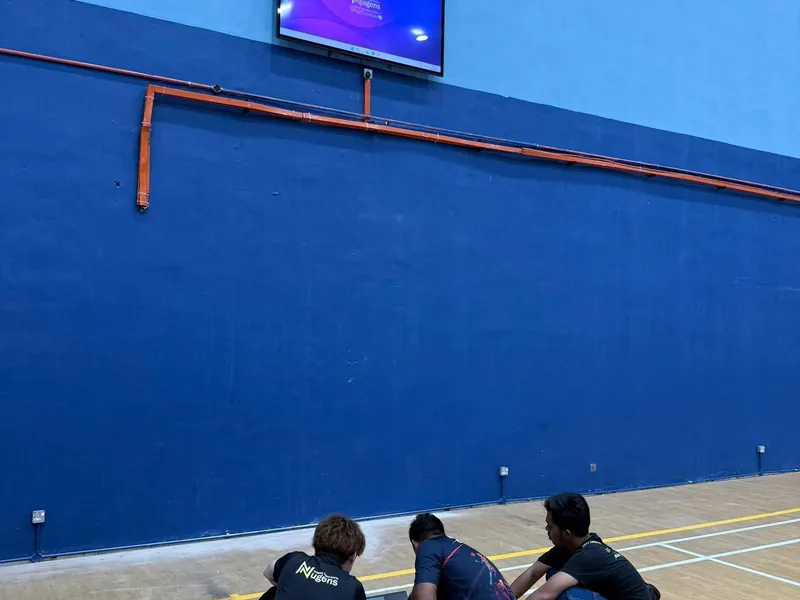
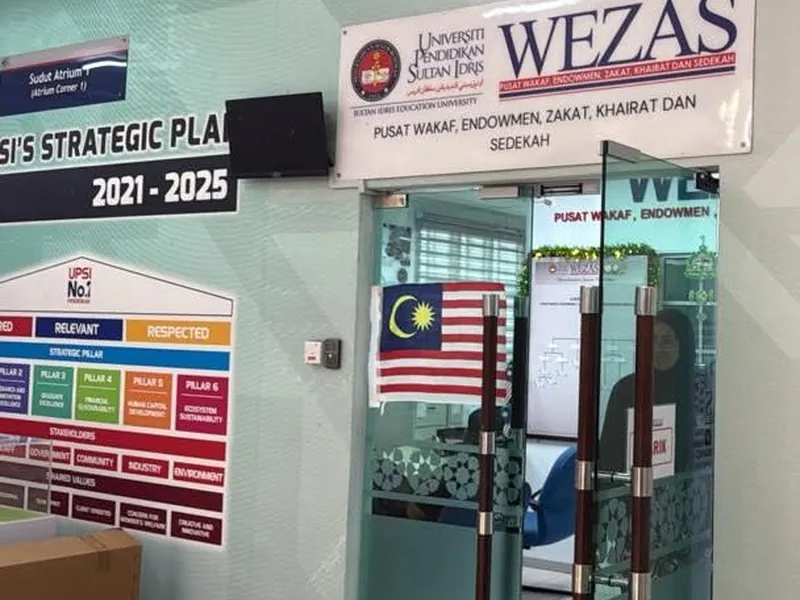
Actual SmartScheduler screens, wall-mounted and free-standing, on site across Malaysia.
Already have TVs? Plug our Windows mini PC into the HDMI port. Schedule and update content from your laptop. Works with any TV brand or age. Works offline. From RM1,499 per TV.
For serious buyers: We work with businesses spending RM 1,500 and above. If your budget is under RM 1,000, we are not the right fit, and we will tell you that honestly.
Bayaran sekali. Tiada bayaran bulanan. Bermula RM1,499.
Showroom in Puchong, Selangor. We install across KL, Selangor and Putrajaya, and deliver to the rest of Malaysia. WhatsApp +60 10-286 3646.
Actual SmartScheduler screens, wall-mounted and free-standing, on site across Malaysia.
If you already have TVs at your business and want to use them as digital signage, these are the problems we hear most.
No. Use the TVs you already bought. Our TV signage system plugs into the HDMI port and turns each existing TV into a fully managed digital signage screen. You save the cost of replacement screens and use the hardware you already paid for.
SmartScheduler works with any TV that has HDMI. Any brand. Any age. You're not locked into our hardware ecosystem. If you ever switch TVs in future, our player moves with you. The licence is yours forever.
Don't replace it. A premium consumer TV often has better picture quality than basic commercial signage screens. Plug our player into the HDMI port and you keep your 4K TV while gaining full digital signage scheduling and remote control.
Update content from your laptop over wifi. No more USB drives. No more walking to the TV. Schedule what plays by time and day. Push new content in seconds from anywhere.
Our player is a Windows mini PC, not a cheap Android stick. Commercial Windows mini PCs are built for 5 to 8 years of daily use. The price is higher upfront but you stop replacing hardware every 2 years.
SmartScheduler is one-time payment. You pay for the player and software once. Across 6 TVs over 5 years, you save more than RM40,000 compared to monthly cloud signage. The software is included for life.
Four steps. Most installations are done in 30 minutes per TV.
Tell us how many TVs, where they are, and what content you want to display.
Our team installs it, quoted with your order. We bring the Windows mini PC, plug it into your TV's HDMI port and configure it.
30 minutes of hands-on training so your staff can upload and schedule content from their laptop.
Upload content, schedule it, push to your TV. WhatsApp support if you ever need help.
Brand, age and model don't matter. The only requirement is an HDMI port. Smart TV features are not required because the mini PC provides the smarts.
Any model with HDMI
Any model with HDMI
Any model with HDMI
Any model with HDMI
Any model with HDMI
Any model with HDMI
Any TV with HDMI works
5 to 10 year old TVs welcome
Not sure if your TV is compatible? WhatsApp us a photo of the back of your TV showing the input ports. We will confirm before you order.
Three things on your side. That's it. We supply everything else.
Any brand, any age, any size. The TV just needs an HDMI input port.
The mini PC needs power. A standard 3-pin socket near the TV is enough.
Wifi is only needed when pushing new content. After setup, the TV signage system keeps playing scheduled content offline.
If you already have a TV in any of these spaces, you can turn it into a working digital signage screen today.
Display menus, promotions, daily specials
Promote drinks, snacks, loyalty cards
Health info, doctor schedule, clinic notices
Guest info, event schedule, F&B promotions
Product highlights, current campaigns, brand video
Welcome message, today's meetings, company info
Staff notices, student announcements, schedules
Production targets, safety notices, KPI dashboards
Three things. RM1,499. One-time payment.
Small Windows mini PC that plugs into your TV's HDMI port. Built for 5 to 8 years of daily commercial use. Not a cheap Android stick.
SmartScheduler content management system, lifetime licence. Upload your content, schedule it, push updates remotely. Works offline. No monthly fee, no subscription.
We come to your premises, plug the player into your TV, configure the software, and train your team in 30 minutes. Delivery and installation are quoted with your order.
TV Upgrade is the headline option. If you also want a Complete Setup with our own screen, or Multi-Branch Central Control, those are listed for reference.
You already have a TV. We add the Windows player and software. Most affordable way to start.
No TV yet, or your existing TV is showing wear. We supply a commercial-grade digital signage screen with the Windows player built in.
Got multiple outlets? Manage every branch from one CMS login. Includes everything in Complete Setup.
Outstation installation available for Penang, Johor Bahru, Malacca, Ipoh and other states. Ask for an outstation quote.
What is a TV signage system?
A TV signage system turns your existing TV into a digital signage screen. You plug our Windows mini PC into the TV's HDMI port and the TV becomes a fully scheduled, remotely managed digital signage display. No need to buy a new screen. Works with any TV brand or age with an HDMI input.
Does it work with my existing TV?
Yes, as long as the TV has an HDMI input port. Works with any brand (Samsung, LG, Sony, TCL, Toshiba, Sharp and others). Works with any age, from brand new 4K TVs to TVs that are 5 to 10 years old. The TV does not need to be a smart TV because the mini PC provides the smarts.
What if my TV is old? Will it still work?
Yes. As long as it has an HDMI port, it works. Many of our customers run signage on TVs that are 5 to 10 years old. The picture quality depends on your TV (HD or 4K), but the scheduling, remote management and offline playback work the same.
My TV is not a smart TV. Does that matter?
No. The TV does not need to be a smart TV. The Windows mini PC we supply provides all the smart features (scheduling, remote management, content playback, internet connectivity). Your TV just acts as the display.
What do I need to provide for the installation?
Three things: a TV with an HDMI port, a power socket near the TV, and wifi for content updates. The wifi is only needed when pushing new content. After initial setup, the TV signage system keeps playing scheduled content offline. The mini PC mounts behind the TV or sits on a small shelf.
Do I need wifi all the time?
No. Wifi is only needed when you want to push new content to the TV. After setup, the player keeps playing scheduled content even if your wifi drops. When wifi comes back, you can push new content again.
How fast can you install?
Each TV takes about 30 minutes to install. For Klang Valley, we usually schedule installation within 3 to 7 working days of order confirmation. Outstation installation is scheduled based on travel coordination.
Is the price really one-time? No hidden charges?
Yes. From RM1,499 per TV. One-time payment. No monthly software fee, no subscription, no per-screen recurring charges. The software is included for life. The only ongoing cost is your electricity and wifi (and wifi is only needed for content updates).
What's the warranty?
PC hardware is covered for 2 years. Your existing TV is not covered (because we did not supply it). If you want hardware that we cover end-to-end, the Complete Setup package from RM3,999 includes a commercial signage screen with both PC and display warranty.
What if I want a new screen instead?
We also offer Complete Setup from RM3,999 per screen, which includes a commercial-grade digital signage screen with the Windows mini PC built in. Suitable if you do not have a TV yet, or your existing TV is showing wear. For multi-branch deployments we have a Central Control package from RM3,999 per screen with one CMS managing every outlet.
Can I move the player to a different TV later?
Yes. The mini PC is yours. If you upgrade your TV or move premises, the player and software move with you. Just plug it into the new TV's HDMI port. No re-licensing required.
Can I run this from my phone instead of a PC?
Not with SmartScheduler. It is a Windows system: a player box drives the TV and you schedule from the PC, which is what lets it play with the internet off. If phone control is the part you actually want, look at a cloud platform. Layar is a Malaysian one, from RM19 a month, with a free plan to try first.
If you searched for any of these, the SmartScheduler TV upgrade kit handles them.
Turn any HDMI-capable TV into a smart digital signage display. No need to replace your TV. The Windows mini PC plugs into your existing TV's HDMI port and runs the SmartScheduler software.
Conversion kit for turning consumer TVs, smart TVs or commercial displays into business signage. Works with Samsung, LG, Sony, TCL, Hisense, Sharp and any TV with a working HDMI input.
Schedule promotions, menu changes, announcements and rotating content on your existing TV. Update content remotely from your Windows computer. No staff need to walk to the TV to change anything.
Tired of Chromecast disconnecting or needing your phone on the same network? The SmartScheduler player runs independently on the TV with scheduled content, even when your phone or laptop is off.
SmartScheduler powers screens across every industry in Malaysia.